- PlatformsWindows, XBOX
- Age12+
- CategoryStrategy
- Price29.99USD
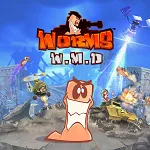
Worms W.M.D is a paid strategy game built around turn-based battles between teams of worms. Its hand-drawn 2D presentation and familiar physics support a mix of careful positioning and chaotic weapon attacks. The listed age rating is 12.
Campaign, training and challenges
For solo play, the game includes 30 campaign levels with increasing difficulty, as well as Training Missions and Challenges. These give you different ways to practise, tackle set objectives and work through the single-player content at your own pace.
Weapons and battlefield tactics
The arsenal contains 80 weapons and utilities, combining returning favourites with new items. Classic examples include the Concrete Donkey, Holy Hand Grenade and Ninja Rope; newer weapons include the Dodgy Phone Battery, Unwanted Present and OMG strike. Mounted guns are also placed around the battlefield, offering another way to attack.
Crafting crates drop from the sky during games. Collect them to create upgraded versions of items such as the Electric Sheep, Bazooka Pie and Holy Mine Grenade. Vehicles add another tactical option: tanks can attack across the battlefield, while helicopters let worms strike from above. Buildings provide cover from direct attacks, so moving a team inside can help protect it while you plan your next move.
Local and online multiplayer
Matches support local or online play, including ranked online play. Up to six players can take part, with up to eight worms per player on a map. The turn-based format makes it useful to think about where to move, which weapon to choose and whether to use cover, a vehicle or a mounted gun before taking action.
Who might enjoy Worms W.M.D?
It may suit players looking for a tactical game with both solo missions and competitive matches, as well as groups who want to play together locally. The large selection of weapons, crafting, vehicles and buildings gives battles several ways to unfold, while the campaign and training content offer options beyond multiplayer.
How to install
To download the game, select Download on this page to open its Microsoft Store listing. Check that the listing names Worms W.M.D and Team17 Digital Ltd as the developer, then select the store’s install button. The game is paid, so review the store listing before completing the purchase and installation.