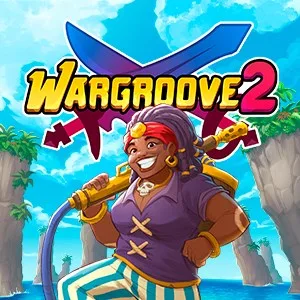
- PlatformsWindows, XBOX
- Age7+
- CategoryStrategy
- Price19.99USD
Wargroove 2 is a paid turn-based strategy game from Chucklefish for Windows and Xbox. Commanders and their armies battle across land, sea and sky, with a story campaign, a roguelike single-player mode and options for creating custom content.
Campaigns and commander abilities
The story unfolds across three campaigns that follow one interwoven narrative. Battles reward tactical decisions and careful resource management as you work to restore a fractured realm. Each Commander also has a unique Groove ability: build up its power to unleash a stronger attack and potentially change the course of a fight.
Conquest: a roguelike solo challenge
In Conquest, you choose a Commander, starting troops and a route through a series of short battles. Decisions are permanent, while gold and health carry over between skirmishes, so losses and resource choices affect what comes next. Units are not disposable, making this mode a fit for players who enjoy adapting their plans as a run unfolds.
Play with others or make your own battles
Play co-op or versus matches for up to four players, locally or online. Rules can be customised, and asynchronous play lets participants take their turns at different times.
The in-game editor lets you create custom maps, cutscenes and campaigns, adjust the rules and share your creations with the community. This is useful if you want to play beyond the built-in campaigns or design scenarios for others.
Platform, price and age rating
Wargroove 2 is available for Windows and Xbox and is paid. Its listed age rating is 7. The game includes both single-player content and multiplayer options; online play is available alongside local matches.
How to download and install Wargroove 2
- Select Download on this page to open the game’s Microsoft Store page.
- Check that the listing is for Wargroove 2 by Chucklefish.
- Complete any purchase step shown, then select the Store’s install option.