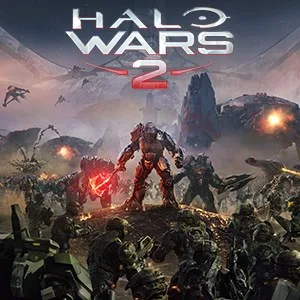
- PlatformsWindows, XBOX
- Age16+
- CategoryStrategy
- Price39.99USD
Halo Wars 2: Standard Edition is a real-time strategy game in which you command an army from the battlefield. Build forces from Marines, Warthogs, Scorpion tanks and Spartans, then lead them through large-scale battles. It is designed for players who enjoy planning deployments and managing an army rather than controlling a single character. The game is paid, has an age rating of 16, and is available for Windows and Xbox.
Campaign, skirmishes and multiplayer
The story takes place after the events of Halo 5. The crew of the UNSC awakens on the Ark, where campaign missions pit its forces against a new threat. The Ark setting gives the story a distinct place within the Halo universe.
For battles outside the story, build bases, prepare vehicles and assemble troops for skirmishes against AI opponents. The game also includes Blitz and Multiplayer modes, where playing as different leaders lets you explore different strategies. Online multiplayer supports matches with or against friends, with up to 3v3 players on Xbox Live. Online multiplayer requires a Game Pass Core membership, sold separately.
Playing across platforms
Halo Wars 2 supports Xbox Play Anywhere: one purchase can be used to play on Xbox and Windows 10. The store description also lists native 4K Ultra HD graphics with HDR for Xbox One X and Windows 10.
Before you install
This is a paid game, so a purchase is required. The listing carries a photosensitivity seizure warning: flashing lights or patterns in video games may trigger a seizure in a small percentage of people.
How to download and install
- Select Download on this page to open the game’s Microsoft Store listing.
- On the store page, check that the title is Halo Wars 2: Standard Edition and the developer is Microsoft Studios.
- Complete the purchase if needed, then select the store’s install option.