- PlatformsWindows
- Age3+
- CategoryPersonalization
- Price1.99USD
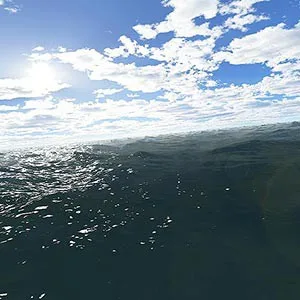
Ocean 3D Live Wallpaper is a paid Windows personalization app that brings an animated 3D seascape to your screen. Waves, clouds and ocean sounds create a moving backdrop for anyone who enjoys ocean scenery while working or relaxing.
Choose how the ocean appears
- 3D screensaver: Launch the app in full screen to use the ocean scene as a screensaver.
- Live wallpaper: Launch it in a small window to use live wallpaper mode. Once enabled, the app periodically generates a new wallpaper.
The app is set to live wallpaper mode by default, but it does not start by itself like a typical screensaver. Choose the display mode that suits how you want to use it.
Camera and speed settings
Click the mouse to rotate or tilt the camera, and adjust the flight speed and wallpaper update speed to change how the scene moves and how often the wallpaper updates. To find the settings, click the bottom-right corner of the app window.
Install from Microsoft Store
- Select Download on this page to open the app’s Microsoft Store listing.
- Check that the listing names Ocean 3D Live Wallpaper and developer Screensavers Store.
- Select the store’s install button to proceed. The app is paid; check the listing for its current purchase details.