- PlatformsWindows
- Age3+
- CategoryPersonalization
- PriceFree
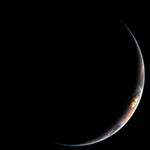
Live Earth: Pacific is a Windows personalization app by Daniel Lam that displays satellite imagery on your wallpaper and lock screen. It suits anyone who wants a changing view of Earth on both parts of their desktop without manually replacing a static image.
Automatic satellite updates
The images come from the Himawari 8 satellite and update every 20 minutes. Their timing is offset to account for your local time zone, so the imagery is adjusted to your location’s time.
What to know before installing
The app’s stated purpose is focused on automatically refreshing satellite images on the wallpaper and lock screen. The available details do not specify whether you can choose the displayed area or change the update interval. Live Earth: Pacific is listed as free to install and is available for Windows.
Install from Microsoft Store
- Select Download on this page to open the app’s Microsoft Store page.
- Check that the app is Live Earth: Pacific by Daniel Lam.
- Select the install button in the Microsoft Store to install it on your Windows device.