- PlatformsWindows
- Age3+
- CategoryFamily & Kids
- PriceFree
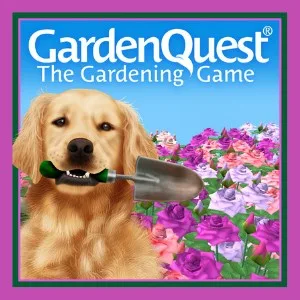
GardenQuest® is a 3D gardening and decorating game for Windows. It lets you create a garden scene, arrange plants and decorations, and build at your own pace rather than compete. It may suit players who enjoy creative simulations, flowers, and shaping their own virtual landscapes.
Create and decorate a 3D garden
Build anything from simple arrangements to more elaborate settings in different styles. You can place flowers, plants, shrubs, trees, decorations, a cottage, wildlife, and a flowing stream. For larger scenes, the game includes elements such as mountains, waterfalls, and different skies.
You can also shape a scene with colour schemes, a little like painting with flowers and landscape elements. This makes it possible to try different looks and moods without needing to follow a competitive objective.
Plant details and atmosphere
GardenQuest lists both the biological and common names of its flowers, plants, shrubs, and trees, which can help players explore what they are arranging. The description also mentions birdsong, water sounds, and skies that capture different moods, adding natural ambience to garden-building.
A relaxed, non-competitive style
The game is described as having no competition or time limits, so you can make changes and play at your own pace. Its description also says there are no hidden objects to find and no need to ask friends for items. Player accounts mention meeting others and forming friendships, but the available information does not explain which social tools the game provides.
Platform, rating, and installation
GardenQuest® is available for Windows through Microsoft Store. The listing gives it an age rating of 3 and marks installation as free.
- Select Download on this page to open GardenQuest® in Microsoft Store.
- On the store page, check that the app name is GardenQuest® and the developer is GardenQuest, Inc.
- Select the store’s install button to begin installation.