- PlatformsWindows
- Age3+
- CategoryEntertainment
- PriceFree
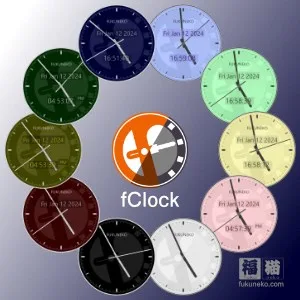
fClock is a simple desktop clock for Windows. Its translucent display and visual adjustments let you tailor its appearance to your desktop, while keeping a clock available at a glance.
Display options
- Translucent appearance: The clock has a see-through display.
- Resizable window: Adjust the clock’s size to suit your desktop layout.
- Changeable color: Choose a different color for the clock’s appearance.
These options may suit anyone who wants a straightforward desktop clock with a few ways to customize how it looks. For example, you can resize it to fit your layout and change its color to better match your preferences.
Install fClock from Microsoft Store
Click Download on this page to open fClock’s Microsoft Store page. Check that the app name is fClock and the developer is Fukuneko Inc., then select the store’s install button. The app is free to install.