- PlatformsWindows
- Age3+
- CategoryEducation
- PriceFree
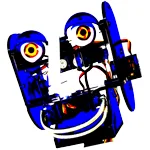
Ohbot is an educational Windows app for learning about coding and robotics. Create block-based programs to control an Ohbot robot, or use the built-in simulator to practise when you do not have a robot available. The app is free to install from Microsoft Store.
Build programs and practise
Ohbot uses block programming based on Scratch, so learners can assemble instructions visually and use them to control the robot. The built-in simulator offers a way to practise without a physical Ohbot robot.
Explore movement, speech and interaction
- Face tracking: Use the camera to program Ohbot to track a person's face.
- Text-to-speech: Create spoken performances, such as a poem, an acting part or a rap. The feature includes lip synchronisation.
- Speech recognition: Program Ohbot to respond to spoken input.
These features give learners practical ways to explore how code can connect a robot with movement, speech and interaction. The app's listed age rating is 3.
Install Ohbot on Windows
Select Download on this page to open Ohbot in Microsoft Store. On the store page, check that the app is Ohbot and the developer is Ohbot Limited, then select the install button.