- PlatformsWindows
- Age3+
- CategoryCard & Board
- PriceFree
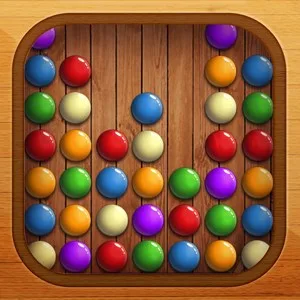
Balls Breaker is a free-to-install Windows puzzle game built around the familiar pop and match-2 format: clear balls from each board and decide which moves will help you finish the level. Its single game mode takes you on a longer journey through different worlds, so the focus is on progressing through levels rather than choosing between several modes.
Plan your moves and progress through worlds
Each board gives you a small logic challenge. You can think about which balls to remove first, whether to save a power-up for a tougher level, or whether undoing earlier moves could lead to a better approach. This makes the game suitable for players who enjoy casual puzzles but still like to plan ahead. It can also work well for short play sessions: focus on a level, then return to the wider journey as you earn stars and unlock more worlds.
Finishing levels can earn gold stars, with up to three stars available as a completion goal. Stars are used to unlock worlds, and earning more can help you reach the next ones sooner. The game also gives you room to track your progress through levels and worlds, including the goal of completing a world fully. The number of worlds and the route through them are part of the game’s progression; no separate game mode is described.
Power-ups for difficult boards
Three power-ups offer different ways to handle a board. Their availability varies, so using one is a strategic choice rather than a routine move:
- Pin: removes one ball. It is the most common power-up and can be useful when a single ball is getting in the way.
- Line: removes every ball in a row. It is harder to obtain and especially useful on more complicated boards, but the row-wide effect makes timing important.
- Color: removes all balls of the same type or color. This is the rarest and hardest to obtain power-up, intended for particularly difficult levels or a much-needed clear.
You can also undo moves, which gives you a chance to reconsider a sequence if a board is not going as planned. The game does not specify a particular limit for undoing moves in its description.
Colour-blind mode and age rating
Balls Breaker includes a colour-blind mode for players who have difficulty distinguishing colours. Turn it on using the eye icon in the settings. The Microsoft Store age rating provided for the game is 3. This rating may help families decide whether it is appropriate for a younger player, while the puzzle format also suits anyone looking for a straightforward logic game.
How to install Balls Breaker on Windows
To download the game, select Download on this page. It will open the Balls Breaker listing in the Microsoft Store. Before installing, check that the listing shows Balls Breaker and Kasur Dev Studio as the developer, then choose the store’s install button. The game is listed for Windows.