- PlatformsWindows
- Age3+
- CategoryCard & Board
- PriceFree
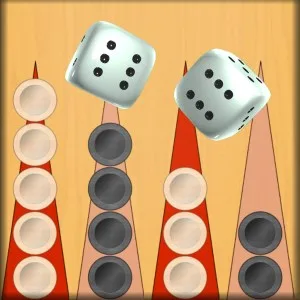
Backgammon Ultimate. brings the classic board game to Windows, where you can play against a computer opponent. The aim is to move all your checkers around the board, bring them into your home area and bear them off before your opponent does. Dice rolls determine how far you can move, so each turn combines planning with adapting to the roll.
How a game works
The board has 24 triangular points, and the two players move in opposite directions. Your checkers are white and the opponent’s are black. At the beginning, dice rolls determine who goes first. On your turn, roll the dice and use their values to move eligible checkers. A double gives you four moves using the number rolled.
You can move onto a point occupied by your own checkers, an empty point, or a point with a single opposing checker. Landing on an opponent’s lone checker captures it. Once all your checkers are in your home area, you can begin bearing them off; the game includes an automatic bear-off feature to assist with this stage. The first player to remove all their checkers wins.
Useful features during play
- Challenging AI: Play against the computer when you want a solo game.
- Move guidance: Select a checker to see its point highlighted in blue and available destinations in green. This makes it easier to identify legal moves after a dice roll.
- Game statistics: Review the statistics provided by the game to keep track of your play.
- Presentation: HD graphics, fluid animations, music and sound effects accompany the board game.
Who might enjoy it?
This game is suited to players who already know backgammon as well as those learning its basic flow. The highlighted move options can help newcomers understand which checkers can move after a roll, while the computer opponent offers a way to play without arranging a match with another person. It is also a practical choice for a short board-game session on a Windows device.
Download and install on Windows
To install Backgammon Ultimate., select Download on this page. When the Microsoft Store page opens, check that the app is listed as Backgammon Ultimate. by G Soft Team, then select the store’s install button. Installation is free. The listed age rating is 3.