- PlatformsSteam
- Age+
- CategoryUtilities
- PriceFree
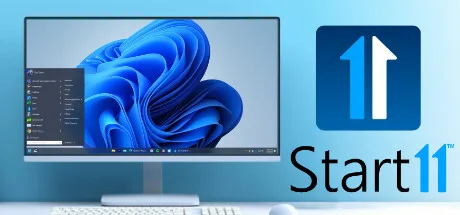
Start11 is a Windows customization utility from Stardock, available through Steam. It lets you change how the Start menu and taskbar look and behave in Windows 10 and Windows 11. It may suit people who prefer a familiar classic menu, want to adjust taskbar controls, or would like shortcuts and frequently used locations closer to hand.
Choose a Start menu style and layout
You can switch to classic menu designs inspired by Windows 7 or Windows 10, choose a modern take on a classic layout, or keep the Windows 11 style while removing elements you do not want. The customization options also let you adjust styles, colours, transparency, shortcut links, and rounded or square corners.
For quicker access, pin files and folders, local or network drives, and the Recycle Bin to the Start menu. For example, a folder or drive you use regularly can be available directly from the menu instead of being something you have to navigate to each time.
Adjust the taskbar and Start button
Start11 can ungroup open windows on the taskbar and change its appearance. In Windows 11, you can move the taskbar to the top of the desktop and enable a Windows 10-style taskbar context menu. In Windows 10, you can center the Start icon and menu.
You can also position the Start button on the left or in the centre, change how it responds to clicks and key presses, and replace its icon with another one or an icon downloaded from the Start11 community.
Search and everyday use
The integrated search interface is designed to keep results focused on your content and removes ads from the search experience. If you use Microsoft Edge, its open tabs can also appear in search results. This can be useful when you want to return to a tab without first locating it in the browser.
Before you install
Start11 is intended to customize Windows 10 and Windows 11. Some options are specific to one version: moving the taskbar to the top and enabling the Windows 10-style taskbar context menu are described for Windows 11, while centering the Start icon and menu is described for Windows 10. Edge tabs in search results are available when you use Edge.
Download Start11 through Steam
- Select Download on this page to open Start11’s Steam store page.
- On the store page, check that the app is named Start11 and the developer is Stardock.
- Select the installation option in Steam to install the app.