- PlatformsSteam
- Age+
- CategoryUtilities
- Price2.99USD
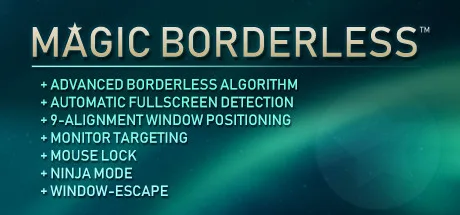
Magic Borderless is a paid utility for gamers who want a game to fill the screen without using a traditional fullscreen window. Its borderless windowed setup is designed to make switching to other windows less disruptive, while built-in controls help manage window behaviour, cursor movement and audio.
Set up borderless gameplay
The app can detect games running in windowed or fullscreen mode. When automatic detection is enabled, it can ask whether to apply its borderless settings. For a game's first setup, switch the game to windowed mode once; Magic Borderless can then apply the setup automatically on later launches. You can also configure default settings to apply to detected games without being asked each time.
The borderless window can use a specific size or be maximised to the monitor's resolution. You can choose whether it leaves the taskbar visible. If you prefer windowed gameplay to behave more like fullscreen when switching apps, you can set the game window to minimise on Alt+Tab.
Window, cursor and multi-monitor controls
Ninja Mode hides the active window from the taskbar and the list of open windows, and mutes that window's audio. Press Alt+X to activate it for the current window. For configured games, Ninja Mode is also available as an Alt+Tab behaviour.
You can lock the cursor to a game window or to a monitor, which is useful when playing in a window on a multi-monitor setup. Magic Borderless can also stretch a game window across all monitors and includes mouse-cursor centring and a Window-Escape feature for multitasking.
Adjust app and background volume
The volume manager lets you adjust application volume through the app's own interface. You can also set background volume so audio from apps that are not in use is reduced or muted.
Install through Steam
Magic Borderless is a paid application. To install it, select Download on this page to open its Steam page. Check that the listing names Magic Borderless and Studio Christmas as the developer, then follow Steam's options to complete the purchase and installation. For the initial borderless setup, the game needs to be switched to windowed mode once.