- PlatformsSteam
- Age+
- CategoryUtilities
- PriceFree
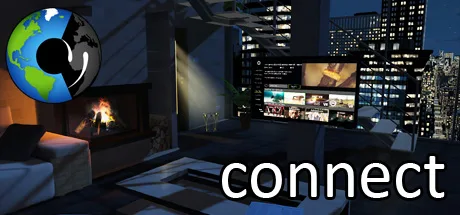
connect - Virtual Home (3D or VR) is a social and multimedia game built around a personal virtual home. You can arrange the space, explore media, chat with contacts, play games and interact with virtual pets. The Steam version can be used in 2D, 3D or VR, so a VR headset is not required.
Make the virtual home your own
Customise the room, furniture, accessories and view from the window. You can use your own 360-degree photos for the view and decorate the space with art and photos. The app also supports adding your own artwork, photos, animated GIFs, videos, sounds and 360-degree photos, with settings to choose who can access your uploaded content.
Media and social features
A media interface brings together newspapers and magazines, films, TV and radio programmes, streaming, YouTube, web portals and VR media such as 360-degree videos. For example, you can watch a 360-degree video or use one as the view from the virtual window.
The virtual organiser lets you bring contacts from your phone book, email and online networks such as Facebook into one place. connect also has its own messenger, with end-to-end encryption for messages, video calls, and chat options for sending 3D objects and stickers. Social VR features provide ways to spend time with others in the virtual environment.
Games, pets and ways to use connect
If you want something to do while chatting, you can play VR games with friends, including Connect Four, or interact with a virtual pet. The available examples include a duckling and a crocodile baby; you can teach pets tricks, and their behaviour depends on how you treat them.
You can switch between 2D, 3D and VR modes. The description names HTC Vive and Oculus VR among the supported VR systems, but you can also use connect without a headset as a 3D game. It may suit people who want a customisable virtual space for socialising and media, as well as those looking for casual games and virtual pets.
Cost and installation
The game is free to install. Its description says connect is intended to remain free of charge and without forced advertising, and identifies in-app purchases and voluntary product placement as funding sources.
To install the Steam version, select Download on this page. On the Steam page that opens, check that the app name is connect - Virtual Home (3D or VR) and the developer is e.com, then choose the install option in Steam.