- PlatformsSteam
- Age+
- CategoryStrategy
- Price14.99USD
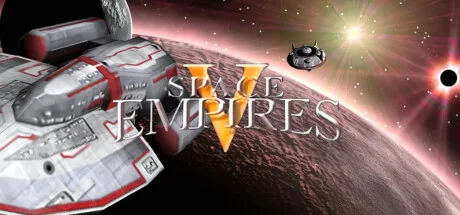
Space Empires V is a paid strategy game about building and managing an interstellar empire. Explore a large galaxy, develop technology, design vehicles and engage in detailed tactical battles. It suits players who enjoy shaping their fleets and factions as much as planning where to expand next.
Explore and develop a galaxy
Each game can use a randomly generated map, or you can load an existing one. The described galaxy can contain 100 solar systems, with 15 planets in each. As you explore, you can develop your empire and pursue political alliances with other empires.
A large technology tree offers thousands of technology levels, along with hundreds of components and facilities. This gives you room to direct development around the vehicles and capabilities you want to build.
Design vehicles and fight tactical battles
You can design and customise vehicles, then take them into detailed tactical combat. The available types include ships, bases, freighters, fighters, mines, satellites, troops, drones and weapons platforms. A combat simulator lets you test designs before using them in battle, which is useful when comparing different vehicle setups.
Movement uses a hexagonal grid, while battles are presented with real-time-rendered 3D graphics and visual effects. The game also features a top-down ship design system.
Customise factions, AI and visuals
Choose from 14 races, customise them or create your own. You can also customise AI opponents, giving them distinct traits, styles and speech, and use the scriptable AI system to shape their behaviour.
Player-created mods are supported, and game graphics can be customised too, including creating planets, stars and vehicles. These options make the game suitable for players who want to adjust more than just their empire's strategy.
Download and install through Steam
Select Download on this page to open the game's Steam listing. Check that the listing shows Space Empires V by Strategy First. The game is paid; follow Steam's purchase prompts if needed, then select Install.