- PlatformsSteam
- Age+
- CategorySimulation
- Price19.99USD
RollerCoaster Tycoon® Classic is a paid simulation and strategy game for Steam. It brings together features from the first two RollerCoaster Tycoon games, giving you the tools to build a theme park and manage its day-to-day operation.
Build rides and design your park
Create roller coasters from ready-made designs or build them piece by piece, then test and customise your own layouts. You can also add gentle and wild rides, water rides, transport rides, food and drink stalls, scenery and facilities. Shape the landscape and arrange footpaths to create a park that suits its setting.
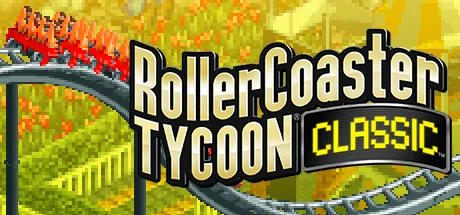
Choose from varied environments, including Forest Frontiers and Megaworld Park. The game’s classic isometric graphics, original amusement park music and sound effects give the experience a distinctive retro style.
Manage guests, staff and finances
Park design is only part of the challenge: attract visitors through marketing, manage finances, and organise staff to keep the park running well and looking its best. These systems make the game a fit for players who enjoy balancing creative building with practical management.
Scenarios, expansions and creative tools
Progress through 95 classic park scenarios from RollerCoaster Tycoon and RollerCoaster Tycoon 2. The included Wacky Worlds expansion adds 17 scenarios themed around locations around the globe, with exotic rides, concessions and famous landmarks. Time Twister adds 14 scenarios based on historical and fantasy themes, from prehistoric settings to the future.
The included Toolkit offers two design modes. In the Park Scenario Editor, build custom parks and choose their rides and scenery, setting the challenge to suit your plans; a selection of Six Flags parks is included as a starting point. In the Ride Designer, build, test, fine-tune and theme roller coasters, then save your designs for use in the game.
You can import and export saved parks, scenarios and ride designs to share with friends and try their creations. Import is also supported for most saved parks and scenarios made with the original RollerCoaster Tycoon 2 PC game.
How to install on Steam
Click Download on this page to open the game’s Steam page. Check that the listing shows RollerCoaster Tycoon® Classic and developer Atari, then follow Steam’s prompts to purchase the paid game if needed and install it.