- PlatformsSteam
- Age+
- CategorySimulation
- Price9.99USD
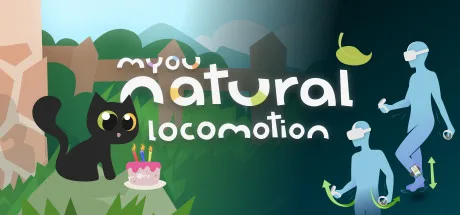
Natural Locomotion is a paid Steam app for adding arm- or foot-driven movement to compatible VR games. It uses a SteamVR driver to emulate thumbstick input, so players can control smooth in-game movement with body motions instead of relying only on a joystick.
Arm and foot movement
In Hands mode, slowly swinging the hand controllers moves your character, while faster swings increase speed. Movement is designed to respond continuously, with quick starts, stops and changes in speed without separate move or brake buttons. A gesture-based activator can start movement without a button press. Hands mode also works with body trackers, including smartphones and trackers; when a tracker is used, movement direction can follow the orientation of your hips.
Feet mode supports two ways to move: walking in place, or swinging your feet while seated or using a treadmill. The app can use compatible motion-sensing devices to register those movements. Its movement mapping follows the direction and speed of the user's hand or foot motion. The design also uses natural head movement while walking in place, including in Hands mode, as a possible way to reduce sensory mismatch. These principles may help with motion sickness, but the app does not guarantee that result.
Game profiles and compatibility
Natural Locomotion includes profiles for a range of games and apps. Select a profile and check that the game's controls are configured as specified. If a title does not have a supplied profile, the profile manager lets you create one.
The game must support fully directed smooth locomotion through a trackpad or joystick, with thumbstick input controlling both direction and speed. Natural Locomotion requires a recent SteamVR release; the temporary SteamVR branch is excluded. It does not provide comfort options such as field-of-view reduction, so check whether each game offers the comfort settings you need and enable them in that game.
The listed tested headsets include HTC Vive, Vive Pro, Vive Cosmos and Cosmos Elite; Oculus Rift, Rift S and Quest (first and second generation, through Oculus Link or Virtual Desktop); Windows Mixed Reality headsets, including HP Reverb G2; Valve Index; Pimax; and Pico Neo 2 and Neo 2 EYE. Listed controllers include HTC Vive wands, Oculus Touch, Windows Mixed Reality controllers with a trackpad, Valve Index controllers, HP Reverb G2 controllers, HTC Vive Cosmos controllers and Pico Neo 2 6DoF controllers. Lighthouse controllers such as Vive wands and Valve Index controllers can be used with any supported headset.
Foot tracking and SteamVR tools
Foot mode supports several kinds of motion-sensing hardware:
- Lighthouse devices: HTC Vive trackers (which include dongles) or SteamVR controllers converted to trackers. Each extra tracker or controller requires a SteamVR USB dongle. A lighthouse headset connected for USB and power only, without video, can provide two USB SteamVR dongles.
- Bluetooth devices: original Nintendo Switch Joy-Con controllers and PS3 Move controllers; PS3 Move does not require a camera. Some users have reported issues with recent versions of PSMove Service.
- Wi-Fi phones: an Android phone running version 5.1 or later with an accelerometer, gyroscope and magnetometer.
The included SteamVR tools can align VR spaces that use different tracking systems and combine lighthouse devices, such as trackers or HTC Vive and Index controllers, with Oculus, Windows Mixed Reality or Vive Cosmos headsets. They can also temporarily emulate HTC Vive trackers using other lighthouse devices or Oculus CV1 controllers, without flashing those devices. A separate utility converts Steam Controller dongles into Vive or Valve controller/tracker dongles and can restore them; one dongle is needed per device. A Vive or Index headset has two dongles built in.
Natural Locomotion also provides fitness statistics that count steps and the kilometres walked with the SteamVR tools.
Install through Steam
To download the app, select Download on this page. On the Steam page that opens, check that the title is Natural Locomotion and the developer is Myou, then use Steam's install button. Because the app is paid, review its current store listing before purchasing.