- PlatformsSteam
- Age3+
- CategorySimulation
- Price20.99USD
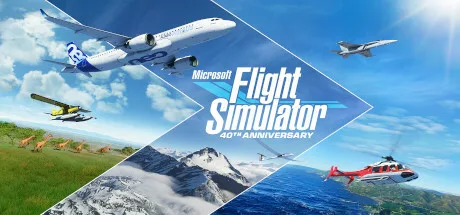
Microsoft Flight Simulator (2020) 40th Anniversary Edition is a paid flight simulation game from Xbox Game Studios for Steam. It lets you pilot aircraft ranging from light planes and gliders to helicopters and commercial jets, with a detailed world to explore and flight settings that can suit beginners as well as experienced sim pilots.
Aircraft, controls and flight practice
The described 40th Anniversary content features 37 aircraft, including airplanes, gliders and helicopters, each with its own flight model. Detailed cockpits and realistic instruments support hands-on piloting. Interactive checklists and highlighted instrument guidance can help you learn the controls; assistance ranges from full assist to full manual, so you can choose how much of the flying to handle yourself.
For practice or a more demanding simulation, the aerodynamic model uses more than 1,000 control surfaces per aircraft. The game also includes 24 classic missions from earlier entries in the series, offering structured flights alongside open-ended exploration.
A changing world and flight conditions
Explore landscapes with buildings, trees, mountains, roads and rivers. The simulated world also features live traffic, animals and real-time weather. You can switch on live weather to experience conditions such as wind speed and direction, temperature, humidity and rain.
The day-and-night system lets you fly at different times of day and year. It supports night VFR (visual flight rules) and visual navigation, making time and conditions part of the flight rather than just scenery.
40th Anniversary content and edition differences
The Anniversary content adds an Airbus A310 airliner, two helicopters and two gliders, as well as seven historical aircraft, including the Hughes H-4 Hercules, also known as the Spruce Goose. It also includes four classic commercial airports, 14 heliports and 15 glider airports. The wider aircraft and airport content described for the game includes 25 handcrafted airports.
Additional aircraft and handcrafted airports depend on the edition:
- Deluxe Edition: adds the Diamond Aircraft DA40-TDI and DV20, the Beechcraft Baron G58, the Cessna 152 Aerobat and Cessna 172 Skyhawk. Its five additional airports are Amsterdam Schiphol, Cairo International, Cape Town International, O’Hare International and Adolfo Suárez Madrid–Barajas.
- Premium Deluxe Edition: includes the Deluxe Edition content and adds the Boeing 787-10 Dreamliner, Cirrus SR22, Pipistrel Virus SW 121, Cessna Citation Longitude and Zlin Aviation Shock Ultra. Its five additional airports are Denver International, Dubai International, Frankfurt, Heathrow and San Francisco International.
This makes the game a fit for players who want to practise cockpit procedures, try different kinds of aircraft, follow classic missions or simply plan flights through varied landscapes. Check which edition is offered on Steam if particular aircraft or airports matter to you.
Purchase and installation on Steam
This is a paid game; the supplied age rating is 3. To install it, select Download on this page. On the Steam page that opens, check that the title is Microsoft Flight Simulator (2020) 40th Anniversary Edition and the developer is Xbox Game Studios, then use Steam’s install option.