- PlatformsSteam
- Age16+
- CategorySimulation
- Price59.99USD
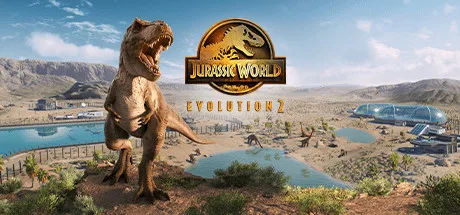
Jurassic World Evolution 2 is a paid management and strategy game for Steam. Build and run a dinosaur park, balance the needs of its animals and guests, and respond to the challenges of keeping prehistoric species under control. It suits players who enjoy planning, creative construction and stories set in the Jurassic World universe.
Build and manage a dinosaur park
Use management tools to plan your park with customisable buildings and hired Scientists. Your decisions shape the environment for both guests and dinosaurs, while prehistoric animals establish territory, compete for dominance and react to the world around them.
Bioengineering lets you customise dinosaurs with new colours and alter their genomes to unlock traits. The roster includes land dinosaurs as well as flying and marine reptiles.
Campaign, creative play and challenges
The game offers four ways to play. In Campaign, follow an original story set after the events of Jurassic World: Fallen Kingdom and help control, conserve and contain wild dinosaurs across the USA. The story features film characters Dr. Ian Malcolm and Claire Dearing, voiced by Jeff Goldblum and Bryce Dallas Howard.
- Sandbox: Create a park using the game’s construction and management options.
- Challenge: Test your management decisions across different locations and environmental calamities.
- Film-inspired what-if scenarios: Play through key moments from the Jurassic Park and Jurassic World films with alternate twists, across settings from the movie eras.
Deluxe Edition content
The Deluxe Edition adds five prehistoric species: Geosternbergia, Attenborosaurus, Pachyrhinosaurus, Huayangosaurus and Megalosaurus. It also includes six building signs and three vehicle skins inspired by the Dinosaur Protection Group. The skins are for the Ranger Team, Capture Team and Mobile Vet Unit, and can be used in Challenge and Sandbox modes.
Before you install
This is a paid game, and its listed age rating is 16. To install it, select Download on this page. On the Steam page that opens, check that the game title and developer, Frontier Developments, match, then complete the purchase and choose Steam’s install option.