- PlatformsSteam
- Age+
- CategorySimulation
- Price5.29USD
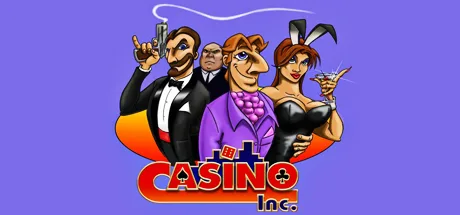
Casino Inc. is a paid simulation and strategy game about building a casino business in the 1970s. Start with a small gaming floor, hire staff and open your doors, then grow into hotels and other casino services. It suits players who enjoy planning a business, balancing customer preferences and shaping a city’s growth.
Plan the casino around its visitors
Visitors have different budgets and tastes: teenagers look for arcade machines, while high rollers want high-stakes games. Choose how much space to devote to guest rooms, bars and restaurants, roulette and card tables, slot machines, and entertainment lounges. You can also set payouts and the casino’s take from tables and machines, so the layout and financial approach can match the customers you want to attract.
Hire employees, buy attractions and build hotel accommodation with a standard from one to five stars. Limo and shuttle bus services are also available as you expand. The game lets you inspect which parts of your business are popular, zooming from a wider city view into buildings to watch gamblers at the tables.
Expand across the city
The game features three fictional cities: Little Hope Springs, Fortune Falls and Chancersville. Your management decisions can encourage city growth. Popular businesses draw customers, while activity around the airport and roads can increase and streets can become congested.
Competition can involve hostile in-game actions, including starting fights, spiking drinks and shooting people. The included Management Expansion Pack adds further casinos, cities, attractions and employees.
Compatibility and purchase
The game is paid. The supplied store description lists Windows XP, Vista and 7, and states that the game will not run on Windows 8. It does not confirm compatibility with later Windows versions, so check the Steam listing before buying.
How to install Casino Inc.
- Select Download on this page to open the game’s Steam store page.
- Check that the listing shows Casino Inc. by Alternative Software Ltd.
- Follow Steam’s purchase instructions for this paid game, then select its install option.