- PlatformsSteam
- Age17+
- CategoryRPG
- Price7.49USD
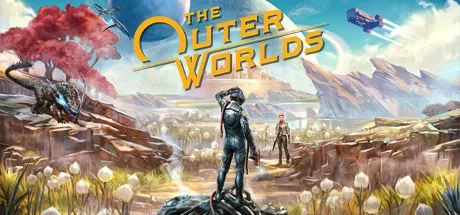
The Outer Worlds is a paid, single-player first-person sci-fi RPG set in the Halcyon colony. After waking decades into a journey aboard a colonist ship, you become part of a conflict involving factions and a conspiracy that threatens the colony. It is suited to players who enjoy exploring a story through their decisions, shaping a character and working with companions.
Shape the story and your character
Your choices affect more than the immediate plot: they can influence how the story develops, your character build, companion stories and endgame scenarios. As you encounter factions competing for power, you decide how to approach them and what kind of character to play.
The game also offers optional flaws. It tracks areas where your character struggles and may offer a related flaw to accept. For example, repeated attacks by Raptidons can lead to Raptiphobia: accepting it gives a debuff when facing those creatures, but immediately rewards an additional character perk. This lets you trade a specific disadvantage for a character-building benefit.
Build a crew and explore Halcyon
Characters you meet can join your crew. Companions have unique abilities, personal missions, motivations and ideals. You can help them pursue their goals or turn them to your own ends, making the crew part of both your story and your choices.
Exploration takes you through Halcyon’s settlements, space stations and other locations, where you can encounter its factions and the alien creatures left behind after terraforming did not go as planned. The setting and choices make the game a fit for players who want a story-led RPG rather than a multiplayer experience.
Before you install
The Outer Worlds is a paid game, and its listed age rating is 17. Check the Steam listing for the purchase and installation details that apply to you.
Install The Outer Worlds through Steam
- Click Download on this page to open the game’s Steam page.
- Check that the listing shows The Outer Worlds and the developer Private Division.
- Complete any purchase steps Steam presents, then choose the installation option to install the game.