- PlatformsSteam
- Age16+
- CategoryRPG
- Price9.99USD
Overlord II is a paid RPG on Steam in which you take the role of a Dark Master and command a band of Minions. Your campaign pits you against the Glorious Empire, a powerful regime, while you work to revive the Netherworld. The game is suited to players who enjoy battling large groups of enemies and choosing how their character deals with the world.
Choose domination or destruction
Your approach can follow one of two styles. With Domination, you enslave humanity village by village, turning its people into an unwilling workforce as you drive the Empire from your lands. With Destruction, you raze cities, forests and Imperial camps. These choices give you different ways to shape your campaign: take control of people and settlements, or leave a path of devastation.
Lead Minions in battle and beyond
Minions can ride wolves and other magical creatures, take weapons from defeated enemies, search houses for treasure, operate war machines and infiltrate enemy camps. They can also polish your armour. A mini-map helps you keep track of the action as you move through the game.
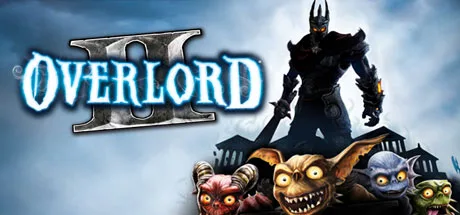
There are four Minion types, each with a distinct role: Browns are close-combat brawlers; Reds attack with fireballs; Greens are stealthy assassins; and Blues are not suited to fighting but can resurrect fallen Minions. Choosing the right type matters when assembling your forces for different tasks.
Enemies and story details
Combat includes battalions of Empire soldiers as well as Yetis, Elves, villagers and native creatures. The story also features three mistresses for the Dark Master to woo. Together, these elements give the game a mix of large-scale battles, Minion management and darkly comic fantasy.
The listed age rating is 16. To install the game, select Download on this page. When the Steam page opens, check that the title is Overlord II and the developer is Codemasters, then choose the installation option shown in Steam.