- PlatformsSteam
- Age+
- CategoryRacing
- Price9.99USD
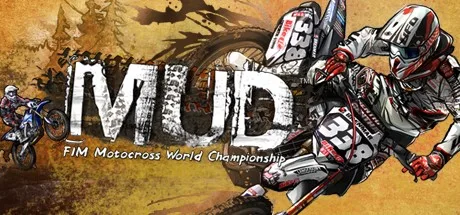
MUD - FIM Motocross World Championship™ is a paid motocross racing game by Milestone S.r.l. for Steam. It combines licensed championship racing with a character-led World Tour and a separate freestyle trick mode. Its official riders, teams and events are based on the 2011 season, making it a period-specific choice rather than a current-season roster.
Championship racing with 2011 content
Race in the MX1 and MX2 championships or take on the Monster Energy FIM Motocross of Nations. The game includes 12 championship locations, 32 official MX1 and MX2 teams, 84 real riders and the 2011 championship sponsors. The Nations competition features 16 national teams and 48 riders.
Bike classes vary by competition: MX1 includes 350 cc and 450 cc bikes, MX2 uses 250 cc bikes, and Motocross of Nations includes 250 cc, 350 cc and 450 cc options. The represented manufacturers are Aprilia, Honda, Husqvarna, Kawasaki, KTM, Suzuki, TM and Yamaha.
World Tour and freestyle
MUD World Tour follows special characters known as Heroes through different levels and event types. It suits players who want a progression-based way to experience the game beyond choosing a championship race.
Monster Energy Trick Battle focuses on freestyle motocross. Perform 30 different tricks across six arenas, with arena locations in the Czech Republic, Spain and the USA. This mode offers a change of pace from championship competition and puts the emphasis on aerial moves.
Riding features and presentation
The game features motorbike physics and animations, real-time terrain deformation, real motorbike sounds and an art style created by Milestone’s graphics department. Photo Mode provides an option for framing moments from play, while the online ranking system lets players compare their results through rankings.
Before you install
MUD is a paid game. To get it, select Download on this page to open its Steam store page. Check that the listing names MUD - FIM Motocross World Championship™ and Milestone S.r.l. as the developer, complete any purchase step shown there, then select the installation option. Check Steam’s listing for current availability and compatibility details before buying.