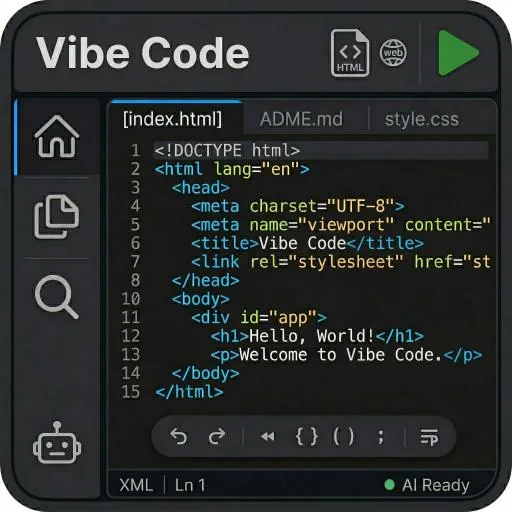
Visual AI for Claude Code is the ultimate mobile code editor and AI development studio — bringing the power of Claude AI, Gemini AI, and Copilot-style code assistance right to your phone and tablet. Write, edit, and debug code anywhere with a professional-grade editor inspired by Visual Studio Code.
Whether you're a developer looking for a portable coding environment, or need an AI assistant like Claude Code or Gemini to help generate, fix, and refactor your projects — Visual AI has you covered.
AI-Powered Code Assistant Built-in support for Claude AI (Opus, Sonnet, Haiku) and Google Gemini models. Get intelligent code generation, debugging, and refactoring — similar to GitHub Copilot — directly on your mobile device.
Professional Code Editor A full-featured code editor inspired by Visual Studio Code with syntax highlighting, multi-tab editing, search and replace, and an intuitive file explorer. Everything you expect from a desktop-class IDE.
Multi-Model AI Selection Switch between Claude and Gemini AI models instantly. Choose the best AI for your task — from Claude Opus for deep reasoning to Gemini Flash for quick responses.
Source Control & GitHub Integration Manage your code with integrated Git features. Clone repositories, track changes, commit, and push directly to GitHub — no desktop needed.
Slash Commands for AI Use quick commands like /fix, /explain, /refactor, /test, and /optimize to interact with AI efficiently — just like professional AI coding tools.
Full Project Management Create, import, and manage multiple coding projects. Supports JavaScript, TypeScript, Python, HTML, CSS, Swift, Kotlin, Go, Rust, Java, C++, and many more languages.
Live Preview Preview your HTML and web projects instantly with the built-in live server — no external tools required.
Dark Theme & Mobile-First Design A sleek, dark-themed interface optimized for coding on phones and tablets. Designed for touch interaction with responsive layouts and smooth animations.
Who Is This For:
• Mobile developers who code on the go • Developers who want Claude AI or Gemini as a coding assistant • Students learning to code with AI help • Anyone needing a Visual Studio Code alternative on mobile • Quick code reviews, bug fixes, and prototyping away from your desk
Why Visual AI:
• No complicated setup — install and start coding • Works offline after setup • Multiple AI providers — Claude and Gemini in one app • Copilot-style AI code suggestions • GitHub integration built-in • Regular updates with latest AI models
Download Visual AI for Claude Code today — your AI-powered code studio, anywhere.